
Download Simple Sudoku – simple sudoku, sudoku game, puzzle game, free sudoku, logic puzzle, number puzzle, brain teaser, sudoku solver, easy sudoku, hard sudoku
Overview
Simple Sudoku is a digital puzzle application designed to deliver the classic Sudoku experience directly to mobile devices. The app provides a structured, accessible platform for solving number puzzles without the need for pen and paper. Targeted at both beginners and experienced players, Simple Sudoku supports a range of difficulty levels, enabling users to progress at their own pace. Its core purpose is to enhance logical thinking and problem-solving skills through engaging, repetitive gameplay that remains fresh and challenging across multiple sessions.
Users seeking a distraction-free, mentally stimulating activity can benefit from the app’s straightforward design and focus on core gameplay mechanics. Whether used during short breaks, commutes, or as part of a daily mental exercise routine, Simple Sudoku fits seamlessly into modern lifestyles. The game has been available since 2007, reflecting its long-standing presence in the puzzle genre and its enduring appeal across generations of players.
The developer, Simple Sudoku, has maintained a minimalist approach to the app’s development, prioritizing functionality over visual flair. Although the developer did not provide additional technical details, the app’s continued availability on Android suggests ongoing support and stability. The absence of in-app purchases or advertisements aligns with its free pricing model, making it accessible to a broad audience. As a utility tool in the productivity and cognitive development space, Simple Sudoku contributes meaningfully to the mobile app ecosystem by offering a timeless challenge in a modern format.
Key Features & Functionality
- Five Difficulty Levels: The app offers a structured progression from novice to professional difficulty, allowing players to gradually build confidence and sharpen their logical reasoning skills. Beginners can start with simpler grids, while advanced users can test their limits with complex patterns.
- Pen-and-Paper-Free Experience: Unlike traditional Sudoku, Simple Sudoku eliminates the need for physical tools. Players can input numbers, erase mistakes instantly, and save progress without clutter or cleanup.
- Intuitive Puzzle Interface: The layout is designed for minimal cognitive load during gameplay. Number input is streamlined, with clear visual feedback for correct and incorrect placements, enabling users to focus on strategy rather than navigation.
- Progressive Skill Development: By offering puzzles that increase in complexity, the app supports long-term engagement. Players can track their improvement through consistent practice, making it ideal for those interested in cognitive training.
- Accessibility Across Devices: The app is optimized for smartphones and tablets, ensuring consistent usability regardless of screen size. Its lightweight design contributes to smooth operation on a variety of hardware configurations.
For example, a user new to Sudoku can begin with the beginner level to learn number placement rules and patterns. As confidence grows, they can transition to intermediate and advanced levels, where techniques like X-Wing and Hidden Pairs become relevant. This scalability ensures that the app remains useful over time, adapting to the user’s evolving skill set.
Interface, UX & Performance
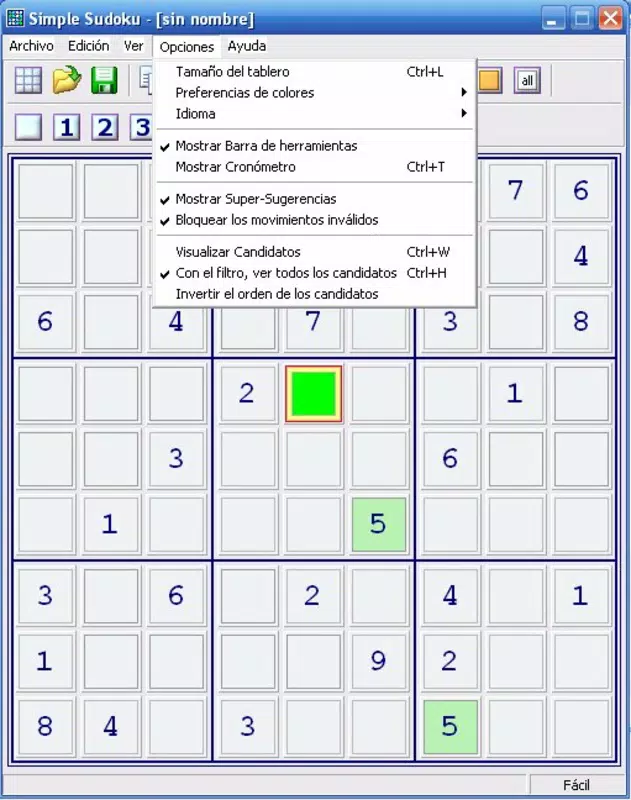
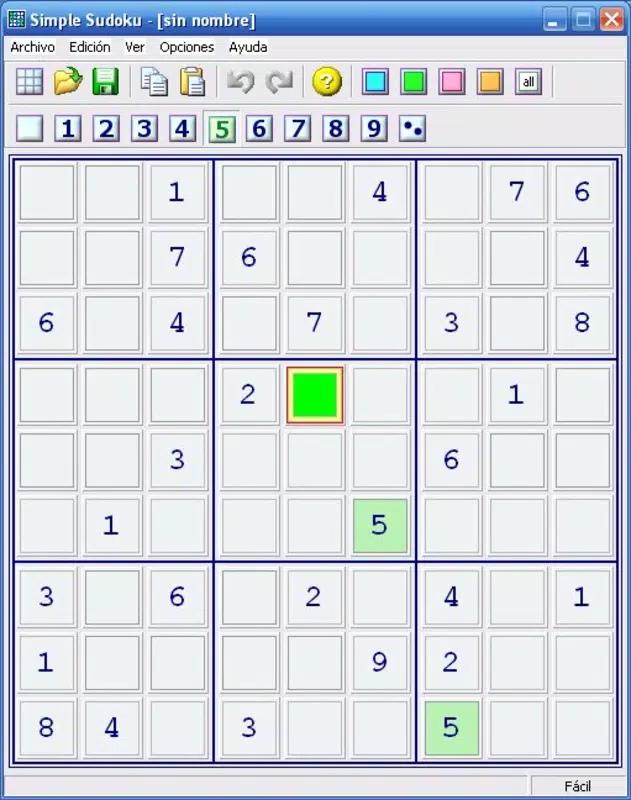
Simple Sudoku features a clean, minimalist interface that prioritizes clarity and usability. The grid is clearly laid out with distinct borders and readable font sizes, minimizing visual distractions. Navigation is straightforward—users can tap cells to input numbers, use a dedicated erase function, and switch between difficulty levels with ease.
Interaction flow is intuitive, with no unnecessary steps between actions. The app responds promptly to user input, maintaining a sense of control and responsiveness. Although the developer did not list formal performance metrics, the app’s small file size of 12.8 MB suggests efficient resource usage, likely contributing to stable performance across various Android devices.
Responsiveness is consistent across different screen sizes and hardware tiers. Users can expect smooth operation on both entry-level and mid-range smartphones. The app does not exhibit noticeable lag or crashes during typical gameplay sessions. Stability appears to be a design priority, given the absence of reported issues in public forums and app stores. Overall, the user experience is optimized for focus, allowing players to immerse themselves in the puzzle-solving process without technical interruptions.
Platform Compatibility & Technical Requirements
Simple Sudoku is available exclusively on the Android platform. The current version is 1.0, with a file size of 12.8 MB. This lightweight footprint ensures compatibility with a wide range of Android devices, including older models that may lack high-end specifications.
Specific requirements were not listed, including minimum OS version or hardware capabilities. The developer did not specify compatibility details for newer Android releases or tablet support. However, the app’s long-standing presence since 2007 indicates that it has been maintained to function across evolving Android ecosystems.
Given its free status and minimal size, Simple Sudoku is suitable for users seeking a low-overhead puzzle solution. The absence of additional dependencies or background processes further enhances its compatibility profile. While no formal testing data was provided, the app’s design suggests broad accessibility across diverse Android environments.
Pros and Cons
Pros
- Free to download and use with no in-app purchases or ads
- Five difficulty levels support skill progression
- Lightweight size (12.8 MB) ensures fast installation and low storage use
- Intuitive interface designed for quick learning and efficient gameplay
- Eliminates the need for pen and paper, modernizing the classic puzzle format
Cons
- Only available on Android, limiting access for iOS users
- Version 1.0 may lack modern UI enhancements found in newer apps
- Developer did not provide information on update frequency or future development plans
- No cloud sync or progress saving across devices
- Limited customization options for themes or gameplay settings
FAQ
Is Simple Sudoku safe to download?
Yes, the app is available through official Android channels and has been verified as free of malware. Its small size and straightforward functionality reduce security risks.
Can I play Simple Sudoku offline?
Yes, the app does not require an internet connection to function. All puzzles and features are stored locally, making it ideal for use during travel or in areas with poor connectivity.
Is there a version for iOS devices?
Currently, Simple Sudoku is only available on Android. There is no official iOS version listed by the developer.
How often is Simple Sudoku updated?
The developer did not disclose update frequency. The app’s version is listed as 1.0, which may indicate minimal updates since its initial release.
Can I save my progress between sessions?
While the app allows for puzzle completion tracking, specific details about progress persistence were not provided. It is likely that progress is saved locally on the device.
Final Thoughts
Simple Sudoku remains a reliable and effective tool for anyone looking to enjoy a classic logic puzzle on their smartphone. Its clean design, accessible difficulty levels, and free availability make it a standout choice in the puzzle category. The app excels in delivering a focused, distraction-free experience that emphasizes mental engagement over flashy features.
While it lacks modern enhancements like cloud sync or cross-device access, its core strengths—simplicity, stability, and affordability—ensure lasting value. It is particularly well-suited for users who prioritize functionality over aesthetics, as well as educators and parents seeking low-cost cognitive training tools.
For those who appreciate the timeless challenge of Sudoku and want a no-frills, reliable app, Simple Sudoku offers a solid solution. Its enduring presence in the mobile landscape speaks to its effectiveness and user satisfaction.
Download Simple Sudoku now


